
Electronics & High-Tech

Every device.
Connected by design.

A device takes shape across boards, enclosures, embedded software, suppliers, and manufacturing partners. Keep those decisions in a shared product context as components change and new variants emerge. Build a digital thread around the information your teams need to design, release, and support the complete product.

Connect your product development
Hardware, software, and the decisions between them.
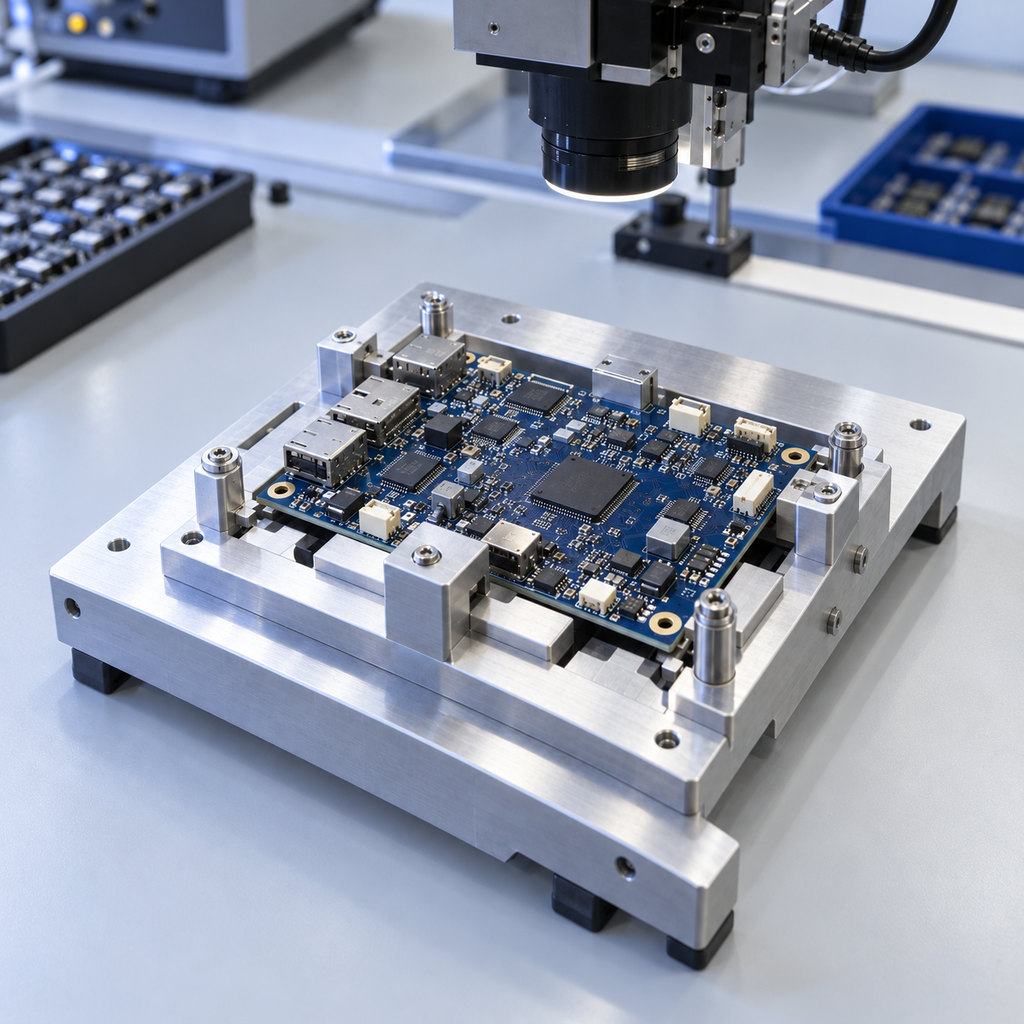
Precision electronics assembly with a populated circuit board in a machined fixture beneath an inspection head
ELECTRONICS / ENGINEERING IN CONTEXT 01—05
BOARDS. ENCLOSURES. EMBEDDED INTENT.
The whole device, in context.
Five sectors. Connected engineering.

Different products.
Specific engineering realities.

From a compact consumer device to long-life infrastructure, the handoffs differ. Start with your sector’s product definition, partners, and pace of change—then connect the records that matter.

01

Computers & consumer electronics

A compact device brings packaging, electronic interfaces, software behavior, and manufacturing constraints into the same development cycle. A replacement component can change more than a purchasing record: its envelope may affect an enclosure, its behavior may alter a requirement, and its availability may influence a product variant. Keep the design proposal, applicable configuration, and review responsibilities connected so a fast-moving program retains the reasoning behind its decisions.

Review a component proposal against physical interfaces, behavior, evidence, and the variant being released.
02

Semiconductor industry

Semiconductor development spans specialized design, packaging, manufacturing, test, and partner organizations. Maintain the requirements, specifications, controlled product records, and change context that travel across those boundaries. A package or specification revision should have a defined owner and a clear relationship to the configurations and partner deliverables it affects. Lifecycle tools complement the specialist environments used for silicon and circuit design.

Identify the product records, package context, and partner handoffs that need review when a specification changes.
03

Automation & controls

Controllers, sensors, motion systems, and operator interfaces combine configurable hardware with embedded behavior. An option or operating requirement can affect mechanical interfaces, electronic modules, software work, verification, and technical instructions. Keep that context available across the product family, especially where standard components are reused in different configurations. A shared definition helps teams investigate which combination a review or service observation concerns.

Connect a controller option to its interfaces, intended behavior, assessed configuration, and service information.
04

Equipment & infrastructure

Equipment supporting communications, utilities, and other infrastructure may stay in service through several generations of electronics. Preserve the relationship between the released assembly, later upgrades, replacement parts, and applicable instructions. Engineering and support teams need to understand what changed and which configuration the information describes. Plan the product-data practices that keep a long-lived equipment portfolio understandable as suppliers, components, and operating needs evolve.

Trace an upgrade or replacement assembly back to the released configuration and the information needed for support.
05

Electronics manufacturing services

The product owner and manufacturing partner need an explicit, reviewable handoff. Establish the intended product revision, component decisions, approved changes, relevant test context, and supporting instructions. When an alternate part is proposed, give the right owners a route to assess its implications before the manufacturing definition changes. Keep responsibilities and information ownership clear across customer and partner systems.

Connect a proposed substitute to engineering review, the applicable bill of material, and the intended build documentation.
Beyond a board or a bill of materials

One product.
Many connected decisions.

Follow a device from intended behavior into design, verification, release, and support. A useful digital thread preserves the context each receiving team needs.

01 / Establish the product intent

Give every discipline a shared starting point.

THE DECISION IN CONTEXT

What should this device do—and in which configuration?

A defined product context gives each discipline a reference for its own design and review decisions.

Agree on the device behavior, operating conditions, physical and electrical interfaces, and applicable product variants. Identify the owners of requirements, mechanical definition, electronic design, and software records. Define what each handoff must explain before choosing the connection between systems.

CONNECTED RECORDS
  1. 01Device requirement
  2. 02Interface definition
  3. 03Applicable product variant
02 / Coordinate the disciplines

Keep the complete device in the design conversation.

THE DECISION IN CONTEXT

Which interfaces and assumptions does this proposal affect?

Linked design context helps the team identify what needs review and who should assess it.

Develop enclosure and assembly geometry alongside specialist electronic and software work. Preserve the proposal, assumptions, and affected interfaces when a component or board changes. Review the connections between disciplines without assuming that one tool replaces every authoring environment.

CONNECTED RECORDS
  1. 01Mechanical assembly revision
  2. 02Electronic change proposal
  3. 03Embedded-software work item
03 / Retain the assessed context

Keep evidence with the product it actually assessed.

THE DECISION IN CONTEXT

Does this evidence address the configuration under review?

Traceability supports the investigation; your team defines the criteria and decides what further assessment is necessary.

Relate the test definition, conditions, recorded results, and issues to the intended behavior and hardware/software configuration. When a part or requirement changes, reviewers need to understand which earlier evidence remains relevant and which questions require further work.

CONNECTED RECORDS
  1. 01Verification definition
  2. 02Assessed hardware/software configuration
  3. 03Result & issue record
04 / Make the handoff explicit

Give the next team a controlled reference.

THE DECISION IN CONTEXT

Which definition should this build follow?

Clear revisions, applicability, and ownership connect the product owner’s decision to the manufacturing partner’s work.

Carry the reviewed engineering definition into the release package and manufacturing handoff. Identify the applicable product structure, accepted changes, receiving owners, and supporting documentation. Define how supplier or manufacturing proposals return to engineering review.

CONNECTED RECORDS
  1. 01Released product structure
  2. 02Engineering change decision
  3. 03Manufacturing information
05 / Inform the next revision

Bring product experience back into engineering.

THE DECISION IN CONTEXT

What is installed—and what should the next revision learn?

Preserved product context gives service findings and obsolescence decisions a useful route back to engineering.

Keep field issues, component availability changes, and technical information associated with the product configurations they concern. Support teams can start with a known definition, while engineering can investigate the records behind a proposed improvement or replacement.

CONNECTED RECORDS
  1. 01Product configuration in service
  2. 02Issue or replacement proposal
  3. 03Applicable technical instruction
Component replacement

One component changes.
Four connected review questions.

A proposed component has a different package envelope. Explore the physical, behavioral, verification, and release records that may need review before it becomes part of a product definition.

A small package change. A wider review.

Open the comparison to see an envelope change inside a fixed board-and-enclosure context.

A component envelope within a fixed board and enclosureThe dashed outline marks the original package. Opening the comparison reveals a wider proposed envelope. The board, mounting points and neighboring feature stay fixed.FIXED BOARDCOMPONENT ENVELOPENEIGHBORINGFEATUREENCLOSURE CONTEXT
Show the proposed package envelope

The proposed envelope widens while the board, mounting points, and neighboring feature stay fixed. Consider which interfaces and design records the review needs.

Follow the records below to explore the review questions behind this change.

01Physical interfacesThe package envelope changes inside a shared board-and-enclosure context.MECHANICAL & ELECTRONIC DESIGN

Which physical interfaces need another look?

Review the proposed package, board placement, neighboring features, mounting arrangement, and enclosure definition using the appropriate specialist design tools. Preserve the affected revision and the engineering decision.

02Intended behaviorA replacement may carry implications beyond its physical outline.REQUIREMENTS & SOFTWARE

What behavior and assumptions does the proposal affect?

Investigate relevant specifications, operating conditions, software dependencies, and requirement relationships. A similar footprint does not establish equivalent electrical or functional behavior. Record the assessment and its owner.

03Verification contextEarlier results concern the configuration and conditions actually assessed.TEST DEFINITIONS & RECORDS

Which evidence remains relevant to the proposed change?

Locate the test definitions, assessed hardware/software combination, conditions, results, and unresolved issues. Use the team’s review process to determine evidence sufficiency and further verification work.

04Released definitionA reviewed decision must reach the product variants and partners it affects.CONFIGURATION & HANDOFF

Where would the accepted change apply?

Identify the applicable product structures, variants, release records, and manufacturing information. Define the change decision and receiving responsibilities before updating the controlled product definition.

The relevant records and review owners depend on your product and process.

Technology chosen for the work

Design the product.
Connect its definition.

Pair mechanical design, controlled product data, application lifecycle records, and technical information with the processes that make them useful. Select the tools and scope that fit your environment.

01

Mechanical design in electronic context

Develop enclosures, assemblies, and physical interfaces while preserving the relationship to specialist electronic design.

CAD · Creo · ECAD/MCAD collaboration
Creo supports mechanical part and assembly design. Selected ECAD/MCAD collaboration capabilities can exchange and review incremental design changes with compatible electronic-design tools. Assess tool compatibility, licenses, supported data, and review ownership. Use Creo alongside specialist circuit and silicon authoring environments.
02

Product structures, components & change

Keep parts, documents, configurations, and change decisions connected to a controlled product definition.

PLM · PDM · Windchill
Use Windchill to organize product structures, revisions, CAD data, and engineering changes. Define ownership, applicability, and baselines so downstream teams can understand the intended product. Supplier-part, manufacturing, and other specialist capabilities depend on the selected package and configuration.
03

Requirements & embedded-software evidence

Connect intended behavior to development work, risks, tests, and software-release context.

ALM · Codebeamer · Traceability
Codebeamer supports configurable lifecycle workflows and relationships among requirements, development records, test cases/results, and baselines. Preserve the assessed configuration and the reason for change. Cross-tool connections depend on supported versions, licenses, deployment and configuration. Define the test execution and coverage-review responsibilities alongside those relationships.
04

Engineering calculations with their assumptions

Make the reasoning behind sizing and design decisions readable and easier to review.

Engineering calculations · Mathcad
Mathcad brings equations, units, text, and plots into engineering worksheets. Document the inputs, assumptions, and reasoning behind a calculation, then preserve its relationship to the design revision it supports. Choose the calculation, specialist analysis or test method appropriate to the engineering question.
05

Technical information for the right configuration

Keep reusable instructions and product information associated with the engineering definition they describe.

Technical communication · Arbortext
Arbortext supports structured authoring and publishing, with broader content-management capabilities available through the suite. Plan how engineering changes trigger documentation review, how shared content is reused, and how applicability is communicated. Define the authoring and approval process rather than assuming automatic updates are correct.
06

A connected process people can use

Turn the technology scope into working ownership, handoffs, representative data, and practical user guidance.

Consulting · Implementation · Migration · Training
TriStar’s services span PLM/ALM consulting, architecture, implementation, integration, migration, training, and support. Start with a bounded change workflow, define the receiving team’s needs, and evaluate representative configurations with actual users. Scope the deployment and ongoing responsibilities alongside the product selection.
From a difficult handoff to a working process

Start with one change.
Build a connected practice.

TriStar helps translate your product-development priorities into a practical scope, configured workflows, representative data, and guidance the team can use.

01

Understand.

Follow one component change or product-release handoff through the tools, records, and people involved. Identify where intent, configuration, or responsibility becomes unclear.

OUTPUTWorkflow & information-ownership map
02

Connect.

Agree the first relationships and review questions to support. Define record ownership, integration boundaries, representative variants, and acceptance criteria.

OUTPUTPrioritized scope & connection plan
03

Activate.

Configure and evaluate a bounded workflow with representative data and the people creating and consuming it. Rehearse migration and partner handoffs where required.

OUTPUTWorking pilot & handoff review
04

Advance.

Support everyday use, gather feedback, and refine the next release. Keep guidance, data ownership, and long-term maintenance part of the delivery process.

OUTPUTAdoption plan & improvement backlog
Clarity before the next release

The right questions.
Before the next connection.

A connected workflow starts with clear ownership, a defined product context, and a realistic first scope.

Which electronics and high-tech sectors does this approach cover?

The five contexts are computers and consumer electronics, semiconductors, automation and controls, equipment and infrastructure, and electronics manufacturing services. Each has different authoring tools and partner relationships. Begin with the records and engineering decisions that cross a real boundary in your own product-development process.

Does this replace our electronic or semiconductor design tools?

No. Specialist ECAD, silicon-design, analysis, and test environments continue to do their own work. Mechanical CAD, PLM, and ALM support related design, product-data, and lifecycle responsibilities. Assess the supported exchange or integration and define which system owns each record before selecting a connection.

How should we review a proposed component replacement?

Start with the applicable product and current baseline. Investigate physical interfaces, electrical and functional specifications, software dependencies, relevant verification evidence, and manufacturing information. Define the affected variants, review owners, and change decision. Similar appearance or a shared footprint does not establish compatibility.

How do ALM and PLM connect hardware and software?

ALM organizes requirements, development work, risks, verification, and software-release context. PLM maintains product structures, revisions, configurations, and changes. Connecting selected records can help reviewers investigate a complete device. The actual integration requires compatible versions, deployment, permissions, licensing, and agreed ownership.

How can product owners work with manufacturing partners?

Establish the controlled revision, intended build definition, component-decision process, receiving responsibilities, and relevant supporting information. Agree how partner proposals enter review and how accepted changes become applicable. Scope access, intellectual-property boundaries, and the connection between systems to the actual relationship.

What makes a useful first pilot?

Choose one representative workflow, such as a component proposal or a hardware/software release handoff. Include the people who create and consume its records. Evaluate whether the intended configuration, revision, decision owner, and next action are clear, then expand against agreed acceptance criteria.

Your next move

Let’s connect
your next device decision.

A component change. A new variant. A handoff that needs a clearer definition.
Bring us the workflow, and we’ll help shape a practical first connection.

Talk to an expert
Start a conversation

What would you
like to connect?

Select a priority to start the conversation.

Choose a priority above.