

Service lifecycle management

Service the product
in front of you.

Connect product configuration, parts information, technical content, and visual instructions. Give service teams a clearer view of what applies to the equipment they maintain.

A geared service assembly transitioning from cyan wireframe geometry to shaded aluminum, with a separated seal ring and front cover.
Product data. Service understanding.
Clarity at the point of service

Service information starts
with a shared reference.

When a part changes, authors and service teams need the same product reference. Keep the model, revision, and configuration in view as information moves between them.

Two engineers reviewing a turbine assembly and technical models on desktop displays.
Product context, shared across teams.
One product change. Three service questions.

A seal kit changes.
Follow the service information.

Product change

A new seal-kit revision is introduced for selected pump configurations.

Which part?

Identify the replacement in context.

A service parts list needs more than a current part number. Keep the part’s identity, its position in the assembly, and the applicable product context together.

Question for the handoff

Can the service team connect the part reference with the correct assembly and product context?

Part identification
Part description, revision context, and the relevant service assembly or parts list.
Visual reference
The matching callout and assembly view used to locate the component.
Related information
The procedure and applicability references associated with that service item.
Which procedure?

Keep the sequence and the content aligned.

A visual sequence and written instructions should describe the same task. Review reusable content and illustrations together when the service part changes.

Question for the handoff

Which content modules and visual references need another review for this change?

Structured content
The relevant procedure modules, prerequisites, warnings, and references to review.
Visual sequence
The illustration steps, parts callouts, and source geometry that describe the task.
Review responsibility
The technical owners who agree what needs revision before publication.
Which product?

Match the information to the product in use.

Product applicability defines where the information belongs. Keep that context visible as service content moves from engineering through review and delivery.

Question for the handoff

What tells the service team that this part and procedure apply to the product they are maintaining?

Configuration context
The model, options, revision, or other identifiers used to establish applicability.
Change boundary
The product configurations included in the change and the rules for identifying them.
Published context
The applicability and revision information that readers need with the released content.
From engineering change to service understanding

Connect the source.
Review what reaches service.

A useful service-information workflow keeps product context, content ownership, and publication decisions connected.

  1. Establish the source

    Identify the released engineering information and the service structure or product configurations involved.

  2. Find affected content

    Use configured relationships to locate service parts, reusable text, illustrations, and references that need review.

  3. Review the service change

    Bring technical owners together to check applicability, instructions, visuals, and the publication scope.

  4. Publish for the audience

    Deliver the reviewed content through the formats and channels selected for the people who use it.

Need a controlled product source?

Explore Windchill product context

Engineering links, change notifications, review steps, and publishing depend on the configured products, service structure, and process.

Complementary tools. Clear roles.

Show the task.
Structure the information.

PTC Illustrate

Formerly Creo Illustrate

Create CAD-derived technical illustrations, visual sequences, and parts callouts that explain a service task.

Explore PTC Illustrate

Arbortext

Structured technical content

Author reusable procedures and publish them consistently for different audiences. Select the authoring, publishing, and delivery products around your needs.

Explore Arbortext

The Arbortext family has distinct authoring, publishing, and delivery products; these are not all included in every license. Source connections, supported formats, product versions, and integrations depend on the selected scope.

Service information in practice

Watch the work.
Bring your own questions.

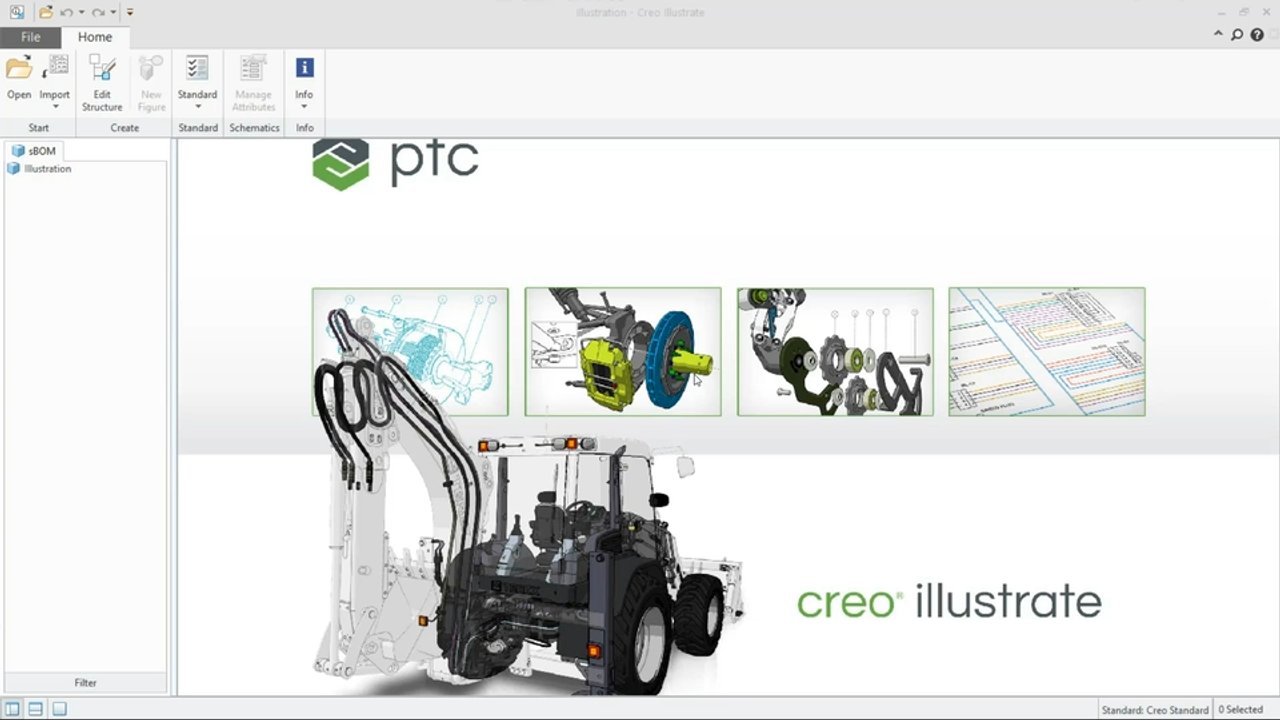
See CAD-derived illustrations, component views, and visual sequences in the short PTC Illustrate demo. Open the longer Arbortext recording below for parts catalogs and technical publications.

Talk to an SLM Expert

Load a video, then use the player’s controls to start playback.

PTC Illustrate · 2-minute demo
Go deeper: parts catalogs & technical publications
PTC Arbortext presentation cover for the service-optimization recording published on TriStar’s Arbortext page.
Arbortext · PTC service recording

Follow the information into service.

Explore PTC’s recorded presentation on aftermarket parts catalogs and technical publications. Consider the content, product context, and delivery channels your own service team needs.

The TriStar approach

A focused first phase.
A path that can grow.

Bring one product family, procedure, or difficult handoff. TriStar can help scope the strategy, implementation, governance, and ongoing support around that starting point.

Discuss your SLM needs
  1. Assess

    Understand current service information, tools, workflows, and the handoffs that need attention.

  2. Define

    Shape the service-data structure, applicability rules, governance, and priorities for the first phase.

  3. Configure

    Scope platform implementation, integrations, and content migration around the agreed requirements.

  4. Enable

    Bring training and adoption into the plan for authors, reviewers, and service-information users.

  5. Optimize

    Use ongoing support and process improvement to address the next service-information need.

Your next service advantage

Start with the product.
Connect the service information.

Bring a service-information handoff you would like to improve.

Talk to an expert
Start a conversation

What would you
like to connect?

Select a priority to start the conversation.

Choose a priority above.