Creo Ansys Simulation

Creo Ansys Simulation.
Refine with insight.

Bring detailed engineering studies into your Creo design work. Investigate the behavior that matters, compare a considered change and keep the assumptions behind the result in view.

Simulation for design refinement

Fully featured, high-fidelity,
Ansys-powered simulation

Creo Ansys Simulation brings Ansys-powered structural, thermal and modal analysis into the Creo environment. It supports detailed investigation as a design moves toward refinement and validation, while Creo Ansys Simulation Advanced adds capabilities for more demanding behavior.

Start with a decision the model needs to support: a mounting interface, an operating temperature or a vibration concern. Define the materials, loads, supports and contacts that represent that question. A useful study connects those assumptions to a result the responsible engineer can explain.

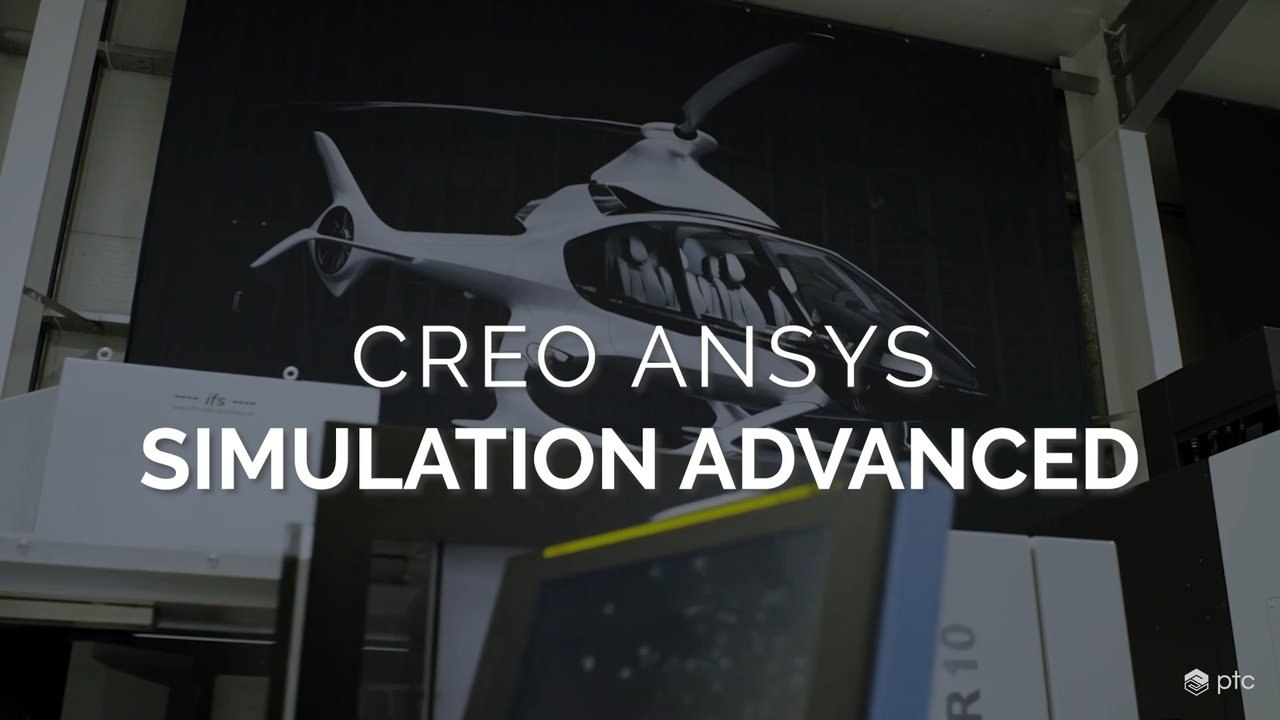
Creo Ansys Simulation Advanced video showing a helicopter design in a hangar.

Creo Ansys Simulation Advanced

Watch PTC’s 1:24 overview of the Advanced extension, including combined physics, contact and material behavior. Source recording published in 2023; use the current proposal and documentation to confirm availability.

Structural

Examine where stress concentrates and how far a part deflects under a defined load. For a mounting bracket, compare two rib designs under the same load and supports to see which better meets a deflection limit.

How does the load enter the part, and where is it restrained?

Thermal

Estimate the temperature distribution once the system reaches steady operation. For an electronics enclosure, model the heat from components and how it leaves through the housing to compare which areas run hottest.

Which heat sources and transfer conditions represent operation?

Modal

Find the frequencies at which an assembly naturally vibrates and see how it moves in each mode. Compare the natural frequencies with excitation frequencies from a motor or fan to identify possible resonance and decide whether a follow-up vibration study is needed.

Which supports, masses and operating excitations matter?

Product datasheet · PDF · 6 pages

Creo Ansys Simulation datasheet

Review study types, boundary conditions, meshing, results and Advanced-only capabilities. This six-page reference carries a 2024 copyright.

Download product datasheet
Benefits of high-fidelity simulation

Benefits of
high-fidelity simulation

The value of a study comes from the decision it improves. Set a purpose for the analysis, compare the relevant alternatives and decide what evidence is needed before the next commitment.

Reduced time to market

Investigate a design concern before it becomes a late change. Bring the person who will review the result into the study definition so the output answers a useful question.

Reduced development cost

Use a digital study to focus the next physical trial or design iteration. Keep the cost of model preparation and the need for appropriate physical verification in the discussion.

Optimized product quality

Compare a proposed change against a defined requirement. Record the acceptance criteria and the study assumptions so a favorable-looking contour is connected to a meaningful engineering review.

More innovation

Explore alternatives while the design can still change. Compare like-for-like study conditions and document the tradeoff each candidate introduces, rather than selecting a concept from one result alone.

Deeper performance understanding

Look beyond a single peak value. Examine the load path, sensitivity to assumptions and behavior across relevant conditions to understand why the model responds as it does.

PTC source artwork of a sailing catamaran overlaid with digital design and simulation imagery.
PTC’s source-page product imagery illustrates simulation in a broader design context; it is not a measured result for your product.

Simulation can support earlier insight and better-targeted decisions. It does not guarantee a saving, a compliant product or an acceptable result without an appropriate model and review.

Match the study to the decision

Which simulation solution
is right for you?

Choose around the question and the depth of evidence required. Interactive concept feedback and a detailed refinement study serve different moments in development; an existing simulation environment also has its own methods and responsibilities.

Start with the decision, then compare the required workflow.
Your design questionConsiderPrepare to discuss
What changes as I explore the shape?

Creo Simulation Live

Interactive design guidance while modeling.

The response you want to compare, supported study types and the equipment required for the proposed environment.

Explore simulation capabilities
How does this developed design behave?

Creo Ansys Simulation

Ansys-powered structural, thermal and modal refinement studies.

A representative geometry revision, material data, boundary conditions, contact assumptions and review criteria.

Review the product scope
Does nonlinear or coupled behavior matter?

Creo Ansys Simulation Advanced

Additional nonlinear contact/material and combined structural–thermal capabilities.

The mechanism that requires added analysis depth and the product/version entitlement for that study.

See the Advanced overview
How does this fit our existing analysis practice?

Creo Simulation extensions

A separate family of simulation offerings.

Existing models, methods and specialist requirements; compare supported capabilities rather than assuming the products are interchangeable.

Explore Creo Simulation

This is a starting-point guide, not an entitlement matrix. Confirm the selected release, platform, package, extensions and supported physics for the proposed environment.

Comparison guide · PDF · 10 pages

High-Fidelity Simulation Capabilities Comparison

The ten-page guide compares Creo Ansys Simulation, its Advanced offering, Creo Simulation Extension and Creo Advanced Simulation Extension. It is a high-fidelity comparison; the interactive Simulation Live workflow is discussed separately here.

Download comparison guide
Connect exploration and refinement

Revamp your design workflow
with design simulation

Give the team a clear reason to move between fast design feedback and a more detailed study. Carry the engineering question forward, then deliberately review the setup before using a different analysis method.

PTC source artwork of a motorcycle and digital simulation overlays.
Illustrative simulation imagery from PTC’s source page. Product artwork is not a validated analysis of a customer model.
While the concept is still moving

Explore a direction

Use the appropriate interactive guidance to understand how a proposed geometry change affects the response you are investigating. Keep alternatives identifiable and note which assumptions were held constant.

Carry forward: the candidate geometry and the question it needs to answer.

When the design needs a deeper study

Refine the evidence

Prepare the detailed model, mesh, contacts and operating conditions for the selected simulation tool. Check that the setup still represents the intended scenario, then interpret the result against the agreed criteria.

Carry forward: the reviewed study, its assumptions and the resulting design decision.

A shared model does not remove the review.

PTC documents associativity with Creo Simulation Live setup for Creo Ansys Simulation. Confirm the supported handoff and review the transferred definitions, materials, loads and contacts; do not assume that different methods produce identical results.

Simulation brochure · PDF · 8 pages

Creo Simulation Portfolio

Use the eight-page portfolio brochure to place Ansys-powered refinement studies within the wider simulation workflow. Bring your representative task to the tool-selection discussion.

Download simulation brochure
Industry Applications

Different operating conditions.
Purposeful simulation studies.

These illustrative applications help frame a representative study around your product, operating scenario and review responsibilities.

Scroll or swipe to explore all 5 industries. Use Tab to reach each industry link.

Creo Ansys Simulation FAQ

Define the study.
Clarify the next decision.

Resolve the scope, setup and handoff questions before selecting the simulation environment.

How is Creo Ansys Simulation different from Creo Simulation Live?

Simulation Live provides interactive guidance during design exploration. Creo Ansys Simulation focuses on more detailed refinement and validation studies. Choose the tool around the required physics, method and review evidence; the two offerings are not interchangeable licenses.

When should we consider the Advanced offering?

Consider it when the question requires the documented additional nonlinear contact, nonlinear material or combined structural and steady-state thermal capabilities. Establish why that behavior matters and confirm the exact supported study and entitlement for the selected release.

What should we bring to a demonstration?

Bring a representative model, the design question, material information, loads, supports and the expected operating conditions. Include the person responsible for interpreting the analysis and agreeing the next action.

Does a detailed simulation remove the need for physical verification?

No. The model depends on its assumptions and numerical setup. Review mesh behavior, sensitivities, contacts and boundary conditions, and plan the appropriate physical evidence for the engineering decision.

Can we compare the products in more detail?

The product datasheet, high-fidelity comparison guide and portfolio brochure on this page provide different levels of scope. Confirm current version, platform, package and licensing details with TriStar rather than treating an older reference as a purchase specification.

Will an existing setup transfer without review?

Do not assume it will. Confirm the supported handoff and inspect the definitions in the receiving study. Different methods, discretizations or contact assumptions can change the result even when the geometry is shared.

Your Ansys-powered simulation discussion

Bring the model and the question.
Plan a useful study.

Tell us which behavior you need to investigate and what decision the result must support.
TriStar can help frame a representative evaluation, compare simulation options and clarify the required environment.

Talk to an expert
Start a conversation

What would you
like to connect?

Select a priority to start the conversation.

Choose a priority above.