Technologies for the work ahead

Better tools.
Greater
possibilities.

From parametric CAD and engineering calculations to configuration control and software verification, give every discipline a reliable product definition to work from.

Find your starting point
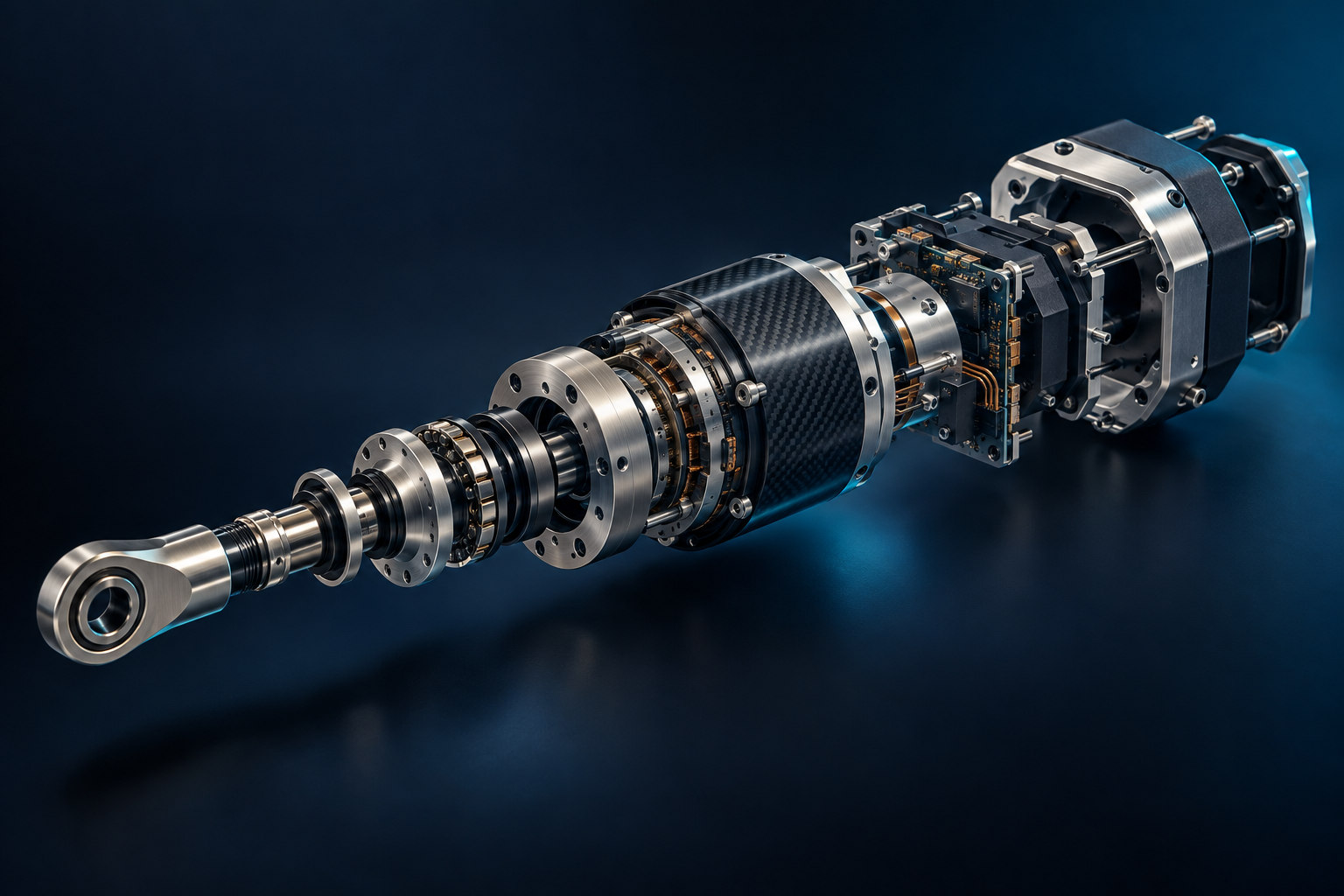
Precision electromechanical actuator shown with its component layers separated
FROM COMPONENT TO CONNECTED PRODUCTEvery detail.
A bigger picture.
The capabilities behind the product

From design intent
to product reality.

Develop and evaluate the design in CAD. Connect its definition with product structures, engineering reasoning, software evidence, and service knowledge. Explore the role each discipline plays.

Computer-aided design

Shape the design. Understand the consequences.

Develop parts and assemblies around the dimensions, constraints, and interfaces that make the product work. Bring simulation into that design activity: investigate geometry and material choices against stated loads, restraints, and operating conditions, then refine the model with the evidence in view.

Carry the same geometry into drawings, model-based definition, and manufacturing preparation. Creo supports design-time feedback and more detailed structural, thermal, modal, and specialist analysis through the appropriate packages and extensions. Clear product visuals communicate form, finishes, and assembly intent so reviewers can understand the design decision alongside its engineering evidence.

  • Parametric parts & assemblies
  • Simulation & design exploration
  • Drawings & model-based definition
  • Manufacturing preparation
ONE COMPONENT / CONNECTED CAD WORK

How does a design change affect fit, behavior, and the definition people use?

  • Model relationships
  • Analysis conditions
  • Manufacturing definition
WORKFLOW IN PRACTICE

Revise a motor mounting bracket, check its fit and behavior under the defined loads, and update the drawing or model annotations. Prepare a product view to explain the selected finish and assembly context while keeping the engineering evidence with the assessed revision.

  1. 01Model, interfaces & conditions
  2. 02Design refinement & definition
  3. 03Manufacturing & visual handoffs
RELATED PLATFORMSCreoExplore CAD
Product lifecycle management

Know the part. Control the change.

Manage product data around the parts, revisions, and configurations your business builds. Connect CAD, documents, and bills of material with release and change processes so teams can distinguish work in progress from an approved product definition.

Engineering, manufacturing, and service need different views of the product. Maintain the relationships between those views, assess where a component is used, and preserve the approvals behind a change. Configuration context helps people find the definition that applies as options and variants grow.

  • CAD data & bills of material
  • Engineering change & release
  • Product configurations & variants
THE ENGINEERING QUESTION

Which products use this part—and which revision applies?

WORKFLOW IN PRACTICE

Replace a discontinued sensor, identify the assemblies that use it, compare affected configurations, and coordinate the approved update with manufacturing and service.

  1. 01Part & product structure
  2. 02Change review
  3. 03Released configuration
RELATED PLATFORMSWindchillExplore PLM
Augmented & virtual reality

See the assembly. Rehearse the task.

Place digital instructions beside physical equipment with augmented reality, or explore a product in a virtual environment with VR. Give design reviews, training, and service procedures a spatial context beyond the flat page.

Vuforia Studio uses CAD and product data to create AR experiences; Vuforia Expert Capture helps record procedural knowledge. Define VR review or training scenarios separately. For either approach, plan how geometry, instructions, and configuration information will stay current.

  • CAD-based AR guidance
  • Visual procedures & knowledge capture
  • Immersive review & training
THE ENGINEERING QUESTION

Would seeing the location, sequence, or scale make the task clearer?

WORKFLOW IN PRACTICE

Highlight the fastener sequence on a service assembly using AR. A separately developed VR scenario can let technicians rehearse the task before handling the equipment.

  1. 01Geometry & procedure
  2. 02Contextual experience
  3. 03Review, learn & perform
RELATED PLATFORMSVuforia Studio · Vuforia Expert Capture (AR)Explore AR & VR
Engineering calculations

Show the math behind the model.

Keep equations, units, assumptions, and results together in an engineering worksheet another person can follow. Use numerical and symbolic calculations to investigate a design and document why a particular value was chosen.

Mathcad Prime combines mathematical notation, unit handling, plots, and explanatory text in reusable worksheets. Adapt documented methods to the next design. Creo Engineering Notebook can exchange selected calculation values and model parameters, linking the reasoning to the geometry it drives.

  • Natural notation & unit intelligence
  • Numerical & symbolic calculation
  • Reusable worksheets & design parameters
THE ENGINEERING QUESTION

Can someone review the assumptions and reproduce the result?

WORKFLOW IN PRACTICE

Size a drive shaft from torque, material properties, and an explicit design factor. Show the equations and units, then carry the selected diameter into the CAD model.

  1. 01Assumptions & inputs
  2. 02Equations & units
  3. 03Documented parameter
RELATED PLATFORMSMathcad PrimeExplore Engineering Calculations
Application lifecycle management

Trace the requirement. Verify the release.

Connect requirements, risks, development work, and test evidence across the software lifecycle. See what a requirement affects, how it is verified, and which release includes the result.

Codebeamer brings these records into configurable review and delivery workflows. Trace requirements to tests, retain review history, and capture baselines at milestones. When a requirement changes, identify the development work and verification evidence that need another look.

  • Requirements, risks & traceability
  • Test cases, runs & results
  • Reviews, baselines & release context
THE ENGINEERING QUESTION

What proves the requirement—and does the evidence match the release?

WORKFLOW IN PRACTICE

Change an engine controller’s over-temperature requirement, identify linked risks and tests, review the results, and preserve the agreed record for the release.

  1. 01Requirement & risk
  2. 02Implementation & test evidence
  3. 03Release baseline
RELATED PLATFORMSCodebeamerExplore ALM
Service lifecycle management

Turn product data into service instructions.

Give service teams parts information and procedures that reflect the product they maintain. Connect the service bill of materials with technical content and illustrations so the component, sequence, and configuration can be understood together.

For the service-information side of SLM, Arbortext supports reusable technical authoring and publishing. PTC Illustrate repurposes CAD into illustrations, parts callouts, and animated procedures. Connections to engineering data help publications teams identify content affected by a product change.

  • Service BOM & parts information
  • Structured technical authoring
  • 2D/3D illustrations & procedures
THE ENGINEERING QUESTION

Does the instruction match the product in front of the technician?

WORKFLOW IN PRACTICE

Revise a seal kit, identify the applicable service parts and product configurations, and update its illustrated replacement procedure without rebuilding every publication.

  1. 01Engineering & service structure
  2. 02Parts & procedural content
  3. 03Product-specific guidance
RELATED PLATFORMSArbortext · PTC IllustrateExplore SLM
The value is in the connections

One product.
Many connected decisions.

Follow the information a real task needs: a reasoned input, a developed design, and a product record that keeps the decision in context. Simulation sits within the CAD work; product visualization helps explain the choice.

From engineering reasoning to a reviewed design.

Size a drive shaft, develop its interfaces, and assess the surrounding assembly as part of the CAD work. Keep the calculation, design evidence, and selected revision connected for review.

ENGINEERING RECORD / 01SELECT A STAGE
01 / 03

Document the sizing method

Record torque, material properties, units, and the design factor in a Mathcad worksheet.

THE CONNECTION THAT MATTERS

One CAD decision carries its geometry, performance assumptions, manufacturing definition, and explanatory visuals into a reviewable product record.

From engineering reasoning to a reviewed design.

Size a drive shaft, develop its interfaces, and assess the surrounding assembly as part of the CAD work. Keep the calculation, design evidence, and selected revision connected for review.

  1. Engineering Calculations

    Document the sizing method

    Record torque, material properties, units, and the design factor in a Mathcad worksheet.

  2. CAD

    Develop and evaluate the design

    Use the selected diameter in Creo to develop the shaft, bearings, and housing. Within the CAD workflow, compare stress or displacement under stated loads and restraints, then refine the geometry. Use a clear product view when the form, finish, or assembly intent will help explain the choice.

    Explore the CAD workflow
  3. PLM

    Review the definition

    Manage the model, calculation, analysis assumptions, and supporting views in the product record. Windchill supplies the revision and release context.

One CAD decision carries its geometry, performance assumptions, manufacturing definition, and explanatory visuals into a reviewable product record.

A sensor changes. Follow the consequences.

A component substitution can affect the mechanical interface and the controller’s behavior. Follow the affected configurations, revise the design, and identify the software requirements and tests that need review.

  1. PLM

    Find the affected products

    Use the product structure and where-used relationships to identify configurations containing the sensor.

  2. CAD

    Revise the interface

    Check the mounting envelope, connector clearance, and relevant drawing or model annotations.

  3. ALM

    Revisit the evidence

    Trace changed requirements to development work and test cases, then capture the reviewed release baseline.

Engineering can coordinate a hardware change with the software evidence and product configurations it affects.

From a revised part to a clearer repair.

A new seal kit needs more than a new part number. Connect its product applicability to the parts list, replacement procedure, and visual guidance used by the service team.

  1. PLM

    Establish applicability

    Identify the released component and the configurations to which the service change applies.

  2. SLM

    Update the procedure

    Revise reusable Arbortext content and PTC Illustrate callouts, steps, and parts references.

  3. AR & VR

    Make the sequence visible

    Use the applicable geometry and procedure in an AR experience that locates the component and guides the task.

Parts identification, illustrated instructions, and spatial guidance describe the same applicable product.

Technology with a practical path

The right starting point
changes what comes next.

The useful starting point is a specific engineering problem: a difficult revision, a disconnected test record, or a service instruction that no longer matches the product.

01

Start with a real workflow.

Choose a representative assembly, change request, or service procedure. Identify the information people need and where the current handoff breaks down.

02

Define the system of record.

Clarify which system owns the model, BOM, requirement, calculation, and published instruction. Plan revision rules, permissions, and integration points before connecting them.

03

Prove it with your product data.

Evaluate the workflow with the engineers, reviewers, and service authors who will use it. Use their feedback to shape configuration, training, and the next phase.

Your next engineering advantage

Let’s connect
the possibilities.

Bring us the design bottleneck, change process, or service-information challenge you need to solve.
We’ll help map the technologies, product records, and practical first steps around that work.

Talk to an expert
Start a conversation

What would you
like to connect?

Select a priority to start the conversation.

Choose a priority above.