Discuss a trialarrow_outwardDiscover Creoarrow_outward
Creo Direct
Creo Direct. Work with the geometry.
Create and adapt 3D geometry with a direct modeling approach. Give concept designers, analysts and tooling teams a practical way to explore a change in the model itself.
Easy-to-use direct modeling CAD software for rapid 3D design creation
Creo Direct is a standalone CAD application for creating and modifying 3D geometry through direct interaction with the model. It can suit people who use CAD occasionally, as well as specialists who need to adapt a shape for a particular task.
Start with a product question: an alternative proposal, a simplified analysis model or the geometry for a fixture. Make the intended change visible, then review the resulting shape with the people who will use it.
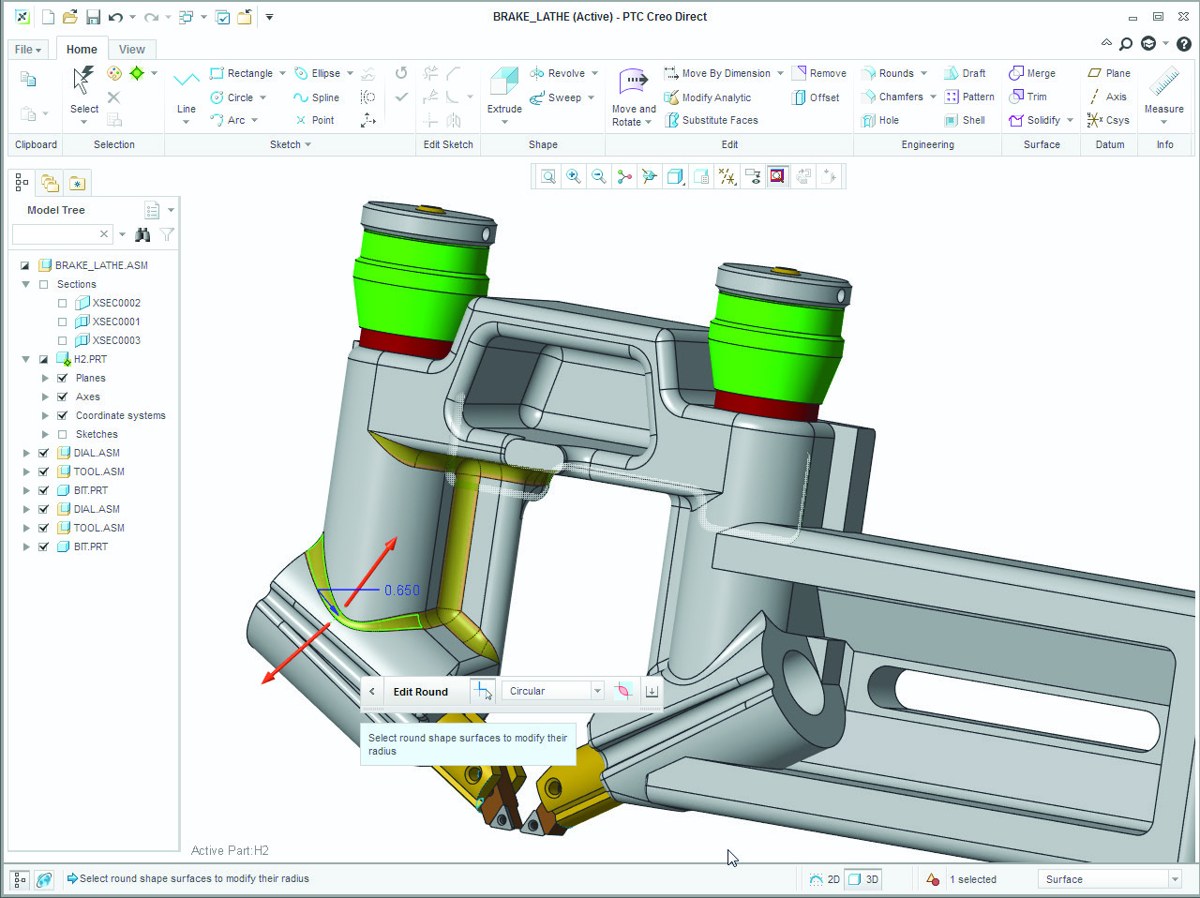
A model-editing example from PTC’s Creo Direct datasheet. Source interface shown; current appearance may differ.
Change the shape. Keep the purpose clear.
Direct editing focuses on the geometry being changed. Parametric modeling emphasizes designed relationships, dimensions and dependencies. Choose the approach around the task, and agree how an exploratory edit will return to the controlled product definition.
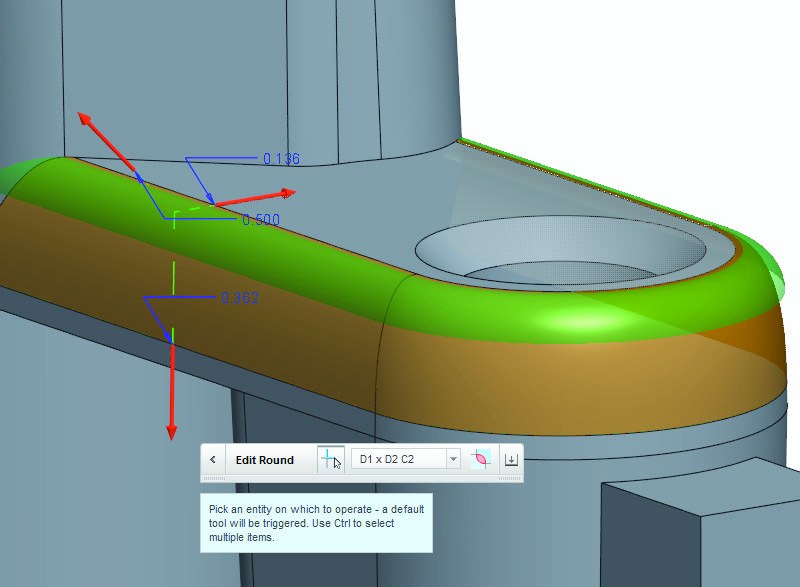
The datasheet illustrates a local round edit and on-model geometry controls.
Explore a proposal
Adapt an existing shape or build a concept to communicate an alternative. A model can make proportion, packaging and customer feedback easier to discuss than a written change alone.
Keep the original reference and the proposed alternative distinguishable.
Simplify suitable geometry or propose a modification before analysis. Keep the working study model separate from the approved design, and confirm that the retained geometry still represents the question being assessed.
Record which details were changed and why they matter to the study.
Develop or adapt geometry for a jig, fixture or tooling discussion. Review locating surfaces, clearances and the intended manufacturing process before treating an edited model as production-ready.
Review fit and manufacturing requirements with the responsible team.
Review the documented modeling, editing, assembly and interoperability scope. This source datasheet carries a 2018 copyright; confirm current availability and support before specifying a workflow.
Explore how geometry-focused editing and parametric control can complement each other. Use this background paper to frame the modeling approach, rather than as a current licensing or compatibility specification.
A direct geometry change. An industry-specific purpose.
Choose an example that reflects your product, interfaces and next engineering task.
Scroll or swipe to explore all 5 industries. Use Tab to reach each industry link.
Aerospace & Defense
Use exploratory geometry to discuss a proposed change or prepare a study model. Keep that exploration within the program’s configuration, review and approval responsibilities. Direct modeling in context Which proposed change needs a clearer geometric explanation?
Vehicle programs coordinate components across packaging, supplier and manufacturing constraints. Use this setting as a practical example when making direct geometry changes without relying on feature history. Which product interface and review criteria should guide the evaluation?
Explore fixture geometry, supplier-part adaptations or proposal alternatives around the equipment being developed. Keep locating interfaces and the eventual released definition in view. Direct modeling in context Which fixture or equipment change would make a useful modeling example?
Adapt mechanical enclosure or mounting geometry to discuss packaging and component clearances. Confirm interfaces and the required exchange before using a modified model downstream. Direct modeling in context Which enclosure or mounting interface should the team investigate?
Device teams work within defined design controls and documented review responsibilities. Use this setting as a practical example when making direct geometry changes without relying on feature history. Which product interface and review criteria should guide the evaluation?
Shape the question. Clarify the modeling approach.
Keep the product, task and data handoff clear when evaluating direct modeling.
What is Creo Direct used for?+
It supports creating and editing 3D geometry with a direct modeling approach. Typical discussions include concept alternatives, geometry preparation for analysis and jig or fixture design. Choose an example that reflects the work your team actually needs to do.
How does direct modeling differ from parametric modeling?+
Direct modeling focuses on changing geometry in the model. Parametric modeling captures relationships, dimensions and dependencies that govern changes. The approaches can complement each other; agree which definition controls the product and how proposed edits are reviewed.
Can we use imported CAD data?+
Imported geometry is a documented use case. Check the supported translator, file version and available geometry for the proposed environment. Validate the exchange rather than assuming every CAD format or application-specific property will transfer.
Does preparing geometry also perform the analysis?+
No. Geometry preparation and engineering analysis are separate activities. The chosen analysis tools, materials, loads, constraints and interpretation still need to match the study and receive the appropriate review.
Is Creo Direct the same as Creo Elements/Direct?+
They are distinct product names. This page concerns Creo Direct. Confirm the exact product, version, license and data workflow when discussing an existing environment or a new requirement.
How should we evaluate it for our team?+
Bring a representative model and one specific change. Check the editing task, the required exchange and the downstream output together. TriStar can help frame that evaluation and clarify the applicable product and licensing scope.
Your direct modeling discussion
Bring a model. Explore a useful change.
Tell us what needs to change and who will use the resulting geometry. TriStar can help frame the workflow and clarify the applicable product, exchange and licensing requirements.