GUIDANCE · EXPLORATION · REVIEWMore possibilities. Engineering in control.
Start with the engineering task
Where can AI help in the CAD workflow?
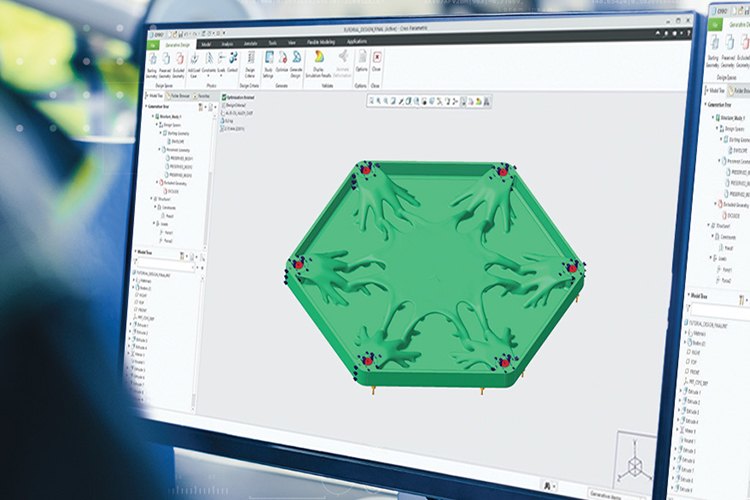
AI adds new ways to ask questions, explore design alternatives and work with engineering information. In CAD, that can mean documentation-based guidance, assistance with model context or a search for candidate geometry within specified requirements. These are different tasks, with different inputs and limits.
Source PTC imagery · exploring geometry within a CAD environment.
A useful starting point is a real engineering question: what needs to be understood, explored or repeated? The answer helps distinguish a conversational assistant from an optimization tool or an established automation feature. The engineer still defines the problem and decides whether the result is suitable for the product.
Different mechanisms. A shared workflow.
Ask, explore or automate. Know which tool fits.
AI, generative design and intelligent automation can support the same workflow without being the same technology. Knowing the distinction makes it easier to choose an appropriate tool and evaluate its output.
description
AI assistance
Ask for guidance or context.
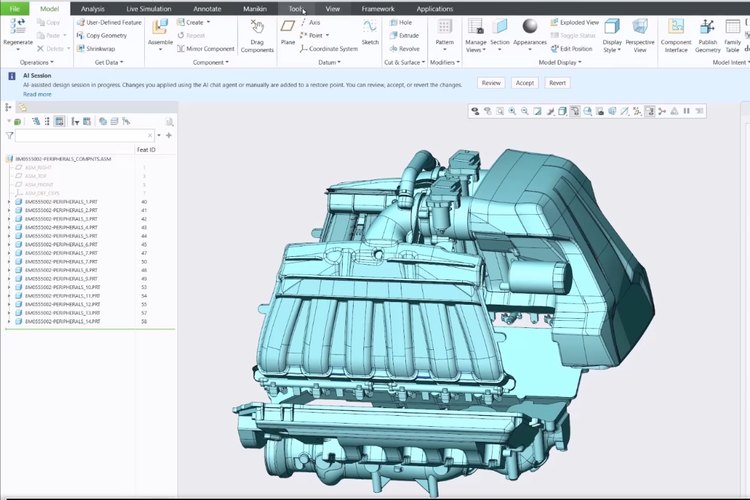
Language-based assistance can help you find an explanation or interrogate supported model information. The available context matters: Creo Advise provides general guidance, while entitled Creo Assist can use the active model.
architecture
Generative design
Explore within engineering requirements.
Generative tools search for candidate forms using specified goals, materials, loads and manufacturing considerations. This is an engineering design exploration problem, rather than simply turning a written prompt into a finished part.
settings
Intelligent automation
Apply an established method.
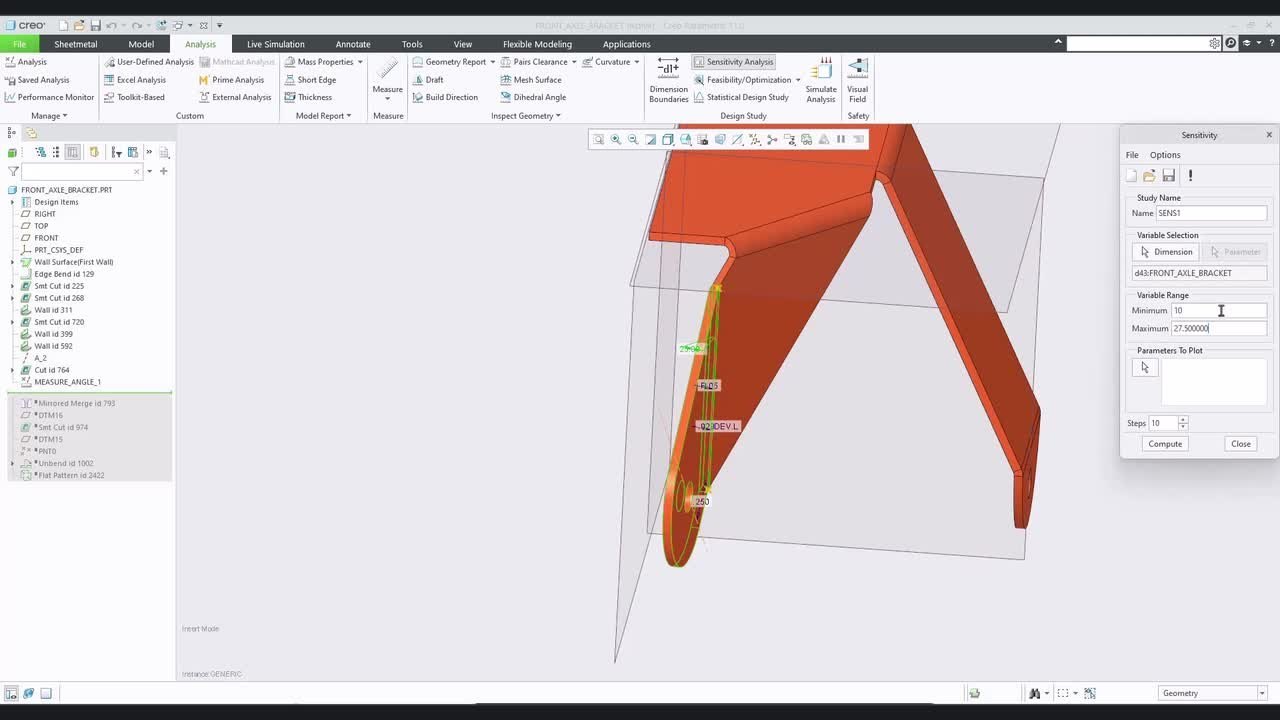
Rules, parameters and reusable design knowledge can drive repeatable CAD work. Behavioral Modeling, for example, varies selected parameters against a goal. Useful automation does not have to be a conversational AI feature.
Ask what the tool uses as input, what it produces and how you will review it. The label “AI” alone does not answer those questions.
Evaluate the outcome
What improves with AI? Here’s how to measure it.
Evaluate the benefit against the task your team actually performs. A faster answer, a wider search and less repetitive setup are useful only when the resulting work remains understandable and reviewable.
searchAttention
Spend less effort finding the next step.
Documentation-based guidance can help an engineer locate a command or understand a workflow. Assess whether the answer is relevant to your Creo release and whether the referenced source resolves the question.
What to measure
Time from the initial question to a next step verified against the documentation.
architectureExploration
Consider alternatives before committing.
Generative design can broaden the geometry explored for a stated problem. Compare candidates under the same requirements, then examine the assumptions and manufacturing implications before choosing a direction.
What to measure
Number of viable alternatives under the same design and manufacturing requirements.
tuneResources
Investigate material and parameter choices.
Optimization can support a search for material-efficient geometry or a parameter set that meets a design goal. Any cost or sustainability conclusion still needs the relevant manufacturing, material and lifecycle evidence.
What to measure
Compare the chosen design metric, such as mass, with the baseline under the same constraints.
A bounded task. A reviewable result.
Automate the repeatable. Keep changes reviewable.
Automation becomes useful when the task has a clear boundary. Established rule-driven tools use defined relationships; assistant-led changes add a permission and review step. Neither removes the need to understand what the model is being asked to do.
A practical pattern for evaluating automated work
State the task
Define the selected geometry, parameter range or question. Make the intended outcome explicit.
Inspect the proposed work
Check the tool’s interpretation, supported operation and assumptions before relying on the output.
Review the result
Compare the changed definition or candidate with the engineering requirements. Keep acceptance with the responsible person.
Continue the CAD process
Use the accepted result in the normal modeling, verification and release workflow.
This official PTC Behavioral Modeling demonstration shows an established intelligent automation approach. It illustrates goal-driven parameter work; it is not a demonstration of the Creo AI Assistant or a promise of autonomous design approval.
Inside the CAD toolkit. What can each capability do?
Match the capability to the job. Conversational assistance, design exploration and guided definition have different scopes. Availability depends on your release, entitlement and, for limited-access functions, participation approval.
The model and the question belong together.
A general usage answer, an active-model query and a design exploration each need a different kind of context. Start by identifying the information the chosen capability can use.
Selecting the relevant assembly, feature or parameter helps make the engineering question precise. Keep model identity and revision clear when reviewing information from any tool.
Use the referenced guidance to navigate the task in your own release. Model-specific interrogation belongs to a different level of assistance.
Model-aware · confirm access
Creo Assist
Use supported model context, selections and the design environment to gather information or investigate a modeling question. Access depends on the applicable entitlement and participation approval where required.
Confirm supported modes and data access for your environment before using model context in a workflow. The assistant does not determine whether a physical design is sound.
Controlled changes · closed beta
Assist automation
Current PTC Help describes automation as the execution layer of Assist, with modification permission off by default. Supported changes are reviewed and accepted or rejected by the user.
This is not a separate Automate mode in the panel. Current limits exclude new-feature creation, text-to-model generation and running engineering analyses; check the latest supported operations.
AI and established IA
Exploration and guided definition
Candidate geometry
Generative design
Explore geometry from a defined design problem, including material and manufacturing considerations. Compare the alternatives against the goals that drove the study.
Creo GTO and GDX address different exploration scopes. Confirm the applicable extension and workflow; a candidate still needs engineering evaluation and refinement.
Parameter optimization · IA
Behavioral Modeling
Define design variables, allowed ranges and a goal, then use BMX to investigate feasible parameter combinations. Accept a result or use it as the basis for another study.
This works with the relationships and measures in the model. The usefulness of the result depends on the problem setup, not simply on how many iterations the tool performs.
Guided product definition · IA
GD&T Advisor
Use guided geometric dimensioning and tolerancing to develop the model’s manufacturing and inspection definition. Keep the chosen standard and annotation context explicit.
The direction is toward assistance that understands more of the engineering task and can support a broader sequence of work. The practical question is what can be used responsibly in your environment now, and what remains a developing capability.
Build a reviewable practice today.
Choose a bounded task, identify its inputs and agree how success will be judged. Keep the original design reference and record the decisions needed to accept the result. Good modeling and data practices remain valuable as assistance develops.
Choose an application with a defined engineering boundary. These examples describe evaluation starting points, rather than guaranteed outcomes or approval shortcuts.
Industrial Machinery
A bracket, fixture or machine subassembly provides a bounded place to investigate design alternatives or reusable parameter-driven work. Keep interfaces and manufacturing constraints with the study.
A practical starting task
Which component has clear loads, interfaces and a reviewable design goal?
Lightweight component exploration must sit within the project’s established engineering and configuration practices. Separate candidate generation from substantiation, verification and approval.
Evidence and responsibility
How will a candidate be assessed before it enters the controlled product definition?
Mechanical packaging teams can start with a supported information-gathering task or a parameter study around an enclosure interface. Keep supplied component references and required clearances explicit.
Model context
What information must remain tied to the correct assembly and revision?
Practical questions about adopting assistance and evaluating the work it supports.
What should a first AI-in-CAD evaluation include?+
Choose one bounded task and a known model or question. Agree the expected output, check the tool’s supported scope, and compare the result with a baseline your engineers can verify.
Is generative design the same as generating CAD from a prompt?+
No. Generative design explores a defined engineering problem. Current Creo Assistant Help separately lists model generation from a written description among unsupported capabilities.
Can the assistant approve a design?+
Treat an assistant response as input to engineering work. Physical suitability, verification and release decisions remain with the responsible team and its established processes.
Are all AI and IA capabilities included in every Creo package?+
Do not assume universal inclusion. Assistant access, specialist extensions and limited-access functions have different conditions. Confirm the release, entitlement and proposed scope before an evaluation.
What should a team check before using model-aware assistance?+
Confirm what context the tool can access, which modes are supported and the organization’s data-handling requirements. Keep model identity and revision clear when reviewing its output.
Where does intelligent automation fit if we are not adopting an assistant?+
Established parameter-driven and guided CAD tools can be evaluated independently. Start with a repetitive task or design goal that your team can specify and review without relying on conversational assistance.
Your next CAD workflow
Which CAD task should you tackle first?
Tell us what your engineers need to understand, explore or automate. TriStar can help discuss a focused Creo evaluation around the model, the task and the access your team needs.